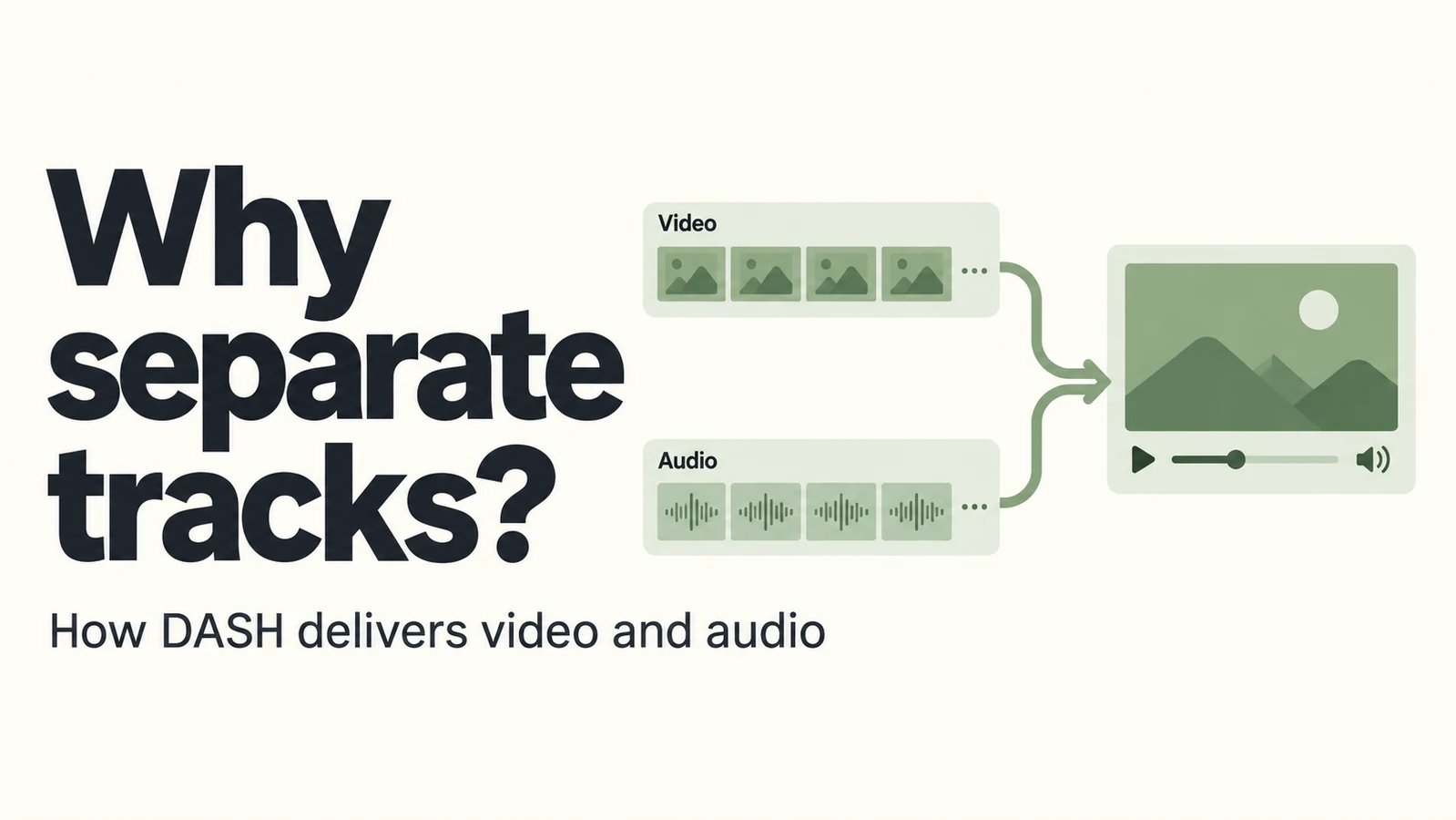
A download leaves you with two files: one plays a silent picture, the other plays only sound. It looks like a mistake until you realize that the website may have delivered the video that way all along. With DASH, the player often brings separate tracks together during playback.
DASH is the delivery system; MPD is the description
DASH stands for Dynamic Adaptive Streaming over HTTP, commonly called MPEG-DASH. It delivers media over HTTP and allows players to choose among versions suited to the connection and device.
The player usually begins with an MPD, or Media Presentation Description. This XML manifest describes the presentation’s timing, available media versions and information needed to locate segments. Saving an .mpd alone does not save the program.
Two terms help when looking at a manifest. An Adaptation Set groups related alternatives, such as audio in a particular language. A Representation is a specific version, such as a video encode at one bitrate. Real manifests can be more involved, but you do not need to read every field to understand why tracks arrive separately.
Technical reference: DASH-IF interoperability guidelines
Why separate picture and sound?
Imagine a short film with three picture-quality options and two dubbed languages. Keeping tracks separate lets the same video work with different audio choices. The service does not have to prepare a separate combined version for every pairing.
A player can also reduce the video bitrate when the connection slows while continuing with a suitable audio stream. For a lecture, a temporarily softer picture is often less disruptive than losing the spoken explanation. The actual decisions depend on the player and available versions.
Separate tracks are not unique to DASH: HLS can offer separate audio too. Nor does DASH always mean exactly two files. Playback may involve many media segments plus initialization data.
How do the lips stay in sync?
Media timestamps and the presentation’s timing information tell the player when picture and sound belong together. It does not simply start two unrelated files and hope they line up. Correctly prepared tracks share a usable timeline.
For the same reason, a downloaded audio track needs to match the video’s content and edit. Two versions may look similar at the beginning but drift apart after an extra intro or a cut. Applying a fixed audio delay cannot repair every timeline mismatch.
Downloading often ends with a merge
A DASH-capable downloader commonly retrieves the selected video and audio, then puts them in one container. This is called muxing. When the destination container supports the existing codecs, it can copy the encoded media without compressing it again.
For complete local files from the same content with matching timelines, this FFmpeg command combines the first video stream from one input with the first audio stream from the other:
ffmpeg -i "video.mp4" -i "audio.m4a" -map 0:v:0 -map 1:a:0 -c copy "merged.mp4"This example assumes both codecs fit the MP4 output. It is not a recipe for joining two arbitrary isolated segments or handling protected streams that require a license. The -c copy option preserves the encoded streams; it does not improve their original quality.
Stream selection and copying: FFmpeg documentation
After merging, check duration and lip sync near the beginning, middle and end. If a downloader reports a merge failure, read that error before treating the silent video file as the finished download.
Comments 0
Comments are disabled for this article.
Loading comments…